Shortlist Buy for $5

The best resume and CV app ever made for the Mac.

Shortlist turns your work history into a page a recruiter wants to read. Pick from 39 typeset templates, check it against what tracking systems look for, and send a cover letter that matches. It runs on your Mac with no account and no subscription.

Buy Shortlist, US$5 One payment. macOS 14 or later. Apple silicon and Intel.

39 templates

3 documents: resume, CV, cover letter

0 accounts or subscriptions

$5 once

39 templates

Each one is a full layout set in fonts already on your Mac, with its own accent colours. Switch at any time and your content, accent and page size come with you. These are real pages rendered by the app.
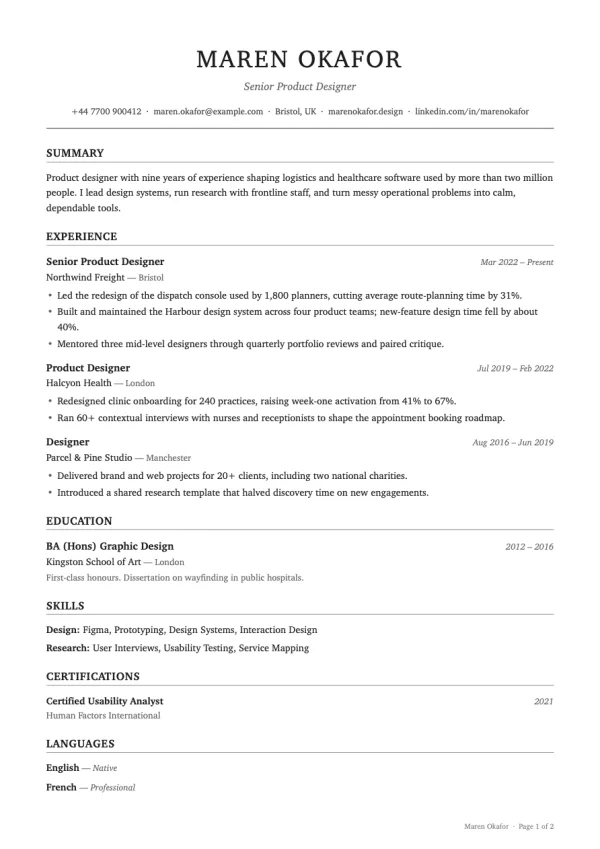
  • The Ledger resume template

    Ledger

    Centred serif classic with ruled sections.
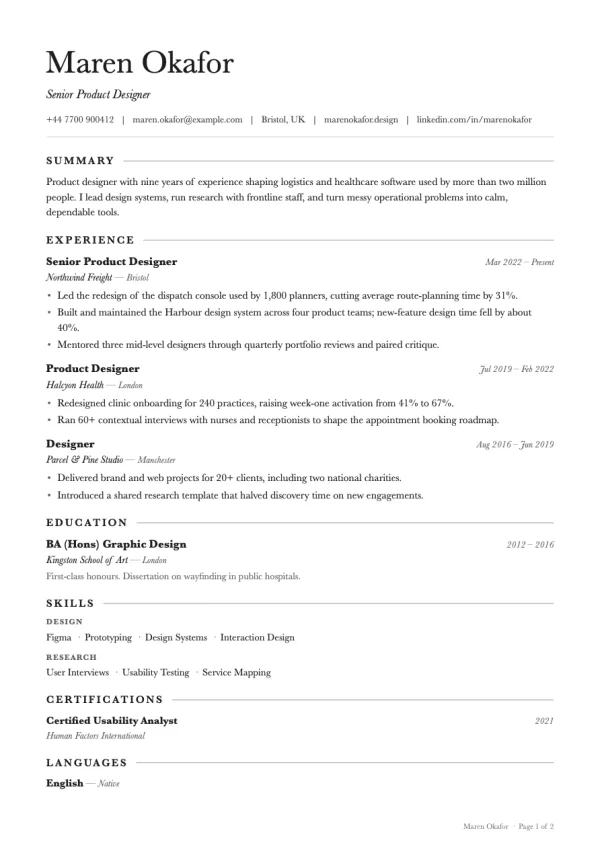
  • The Folio resume template

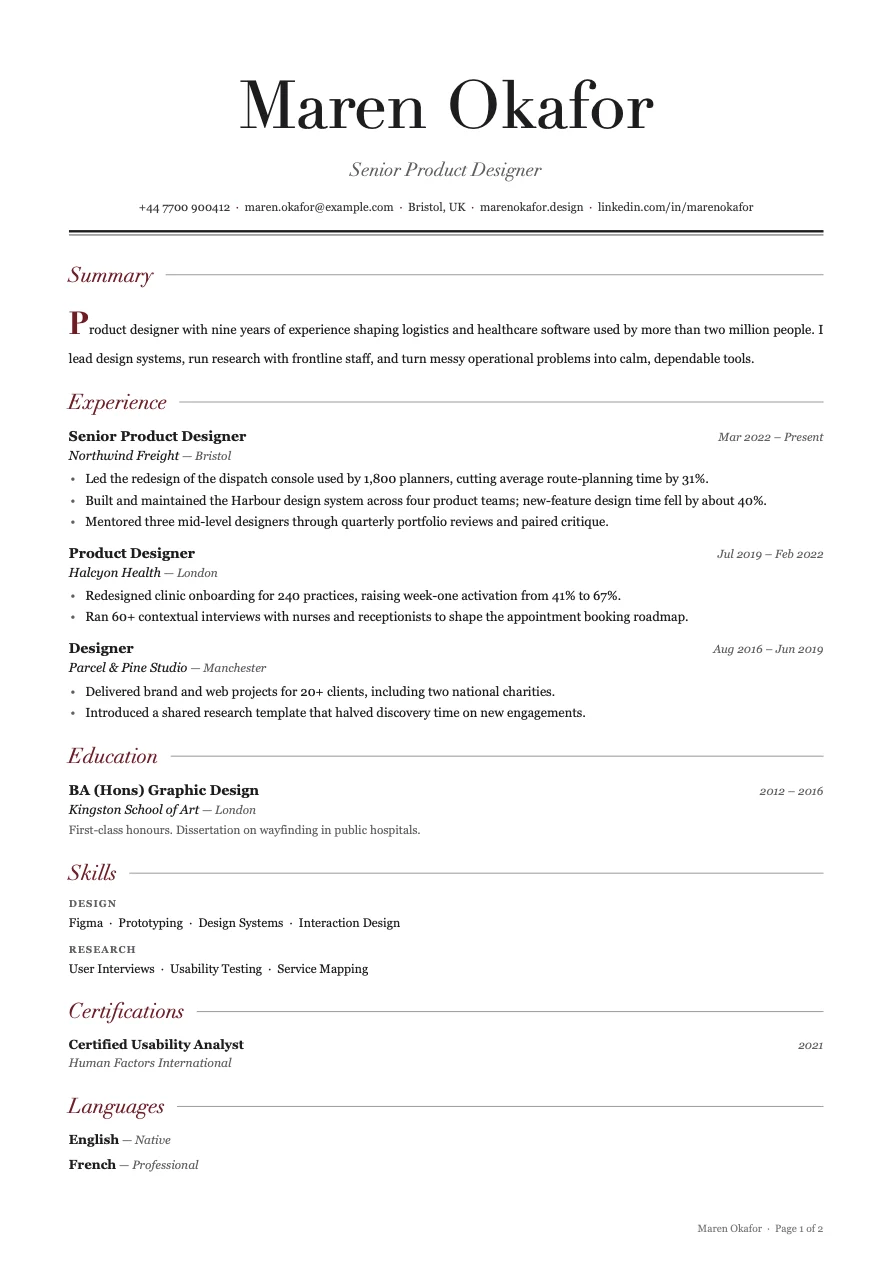
    Folio

    Baskerville with small-caps headings and hairlines.
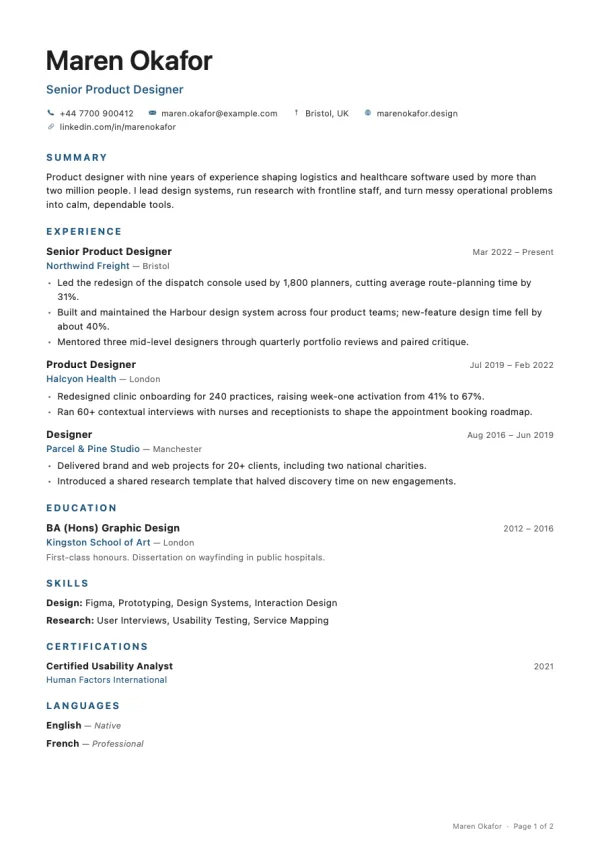
  • The Meridian resume template

    Meridian

    Crisp system sans with quiet accent headings.
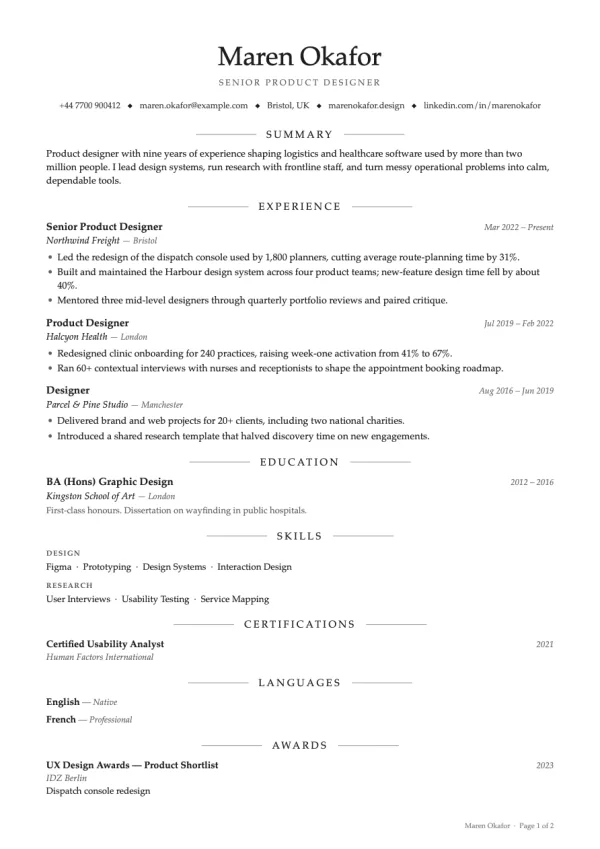
  • The Quire resume template

    Quire

    Palatino set centred, with ruled headings.
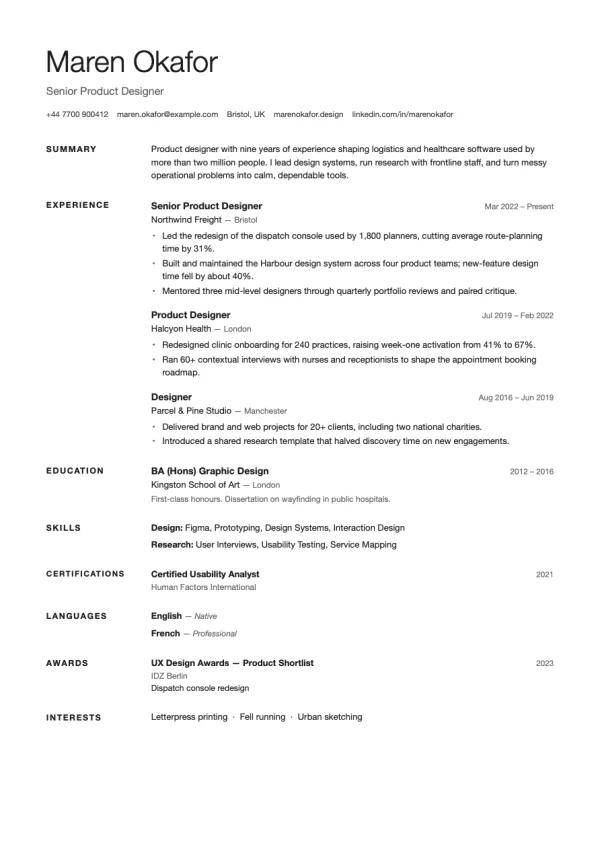
  • The Margin resume template

    Margin

    Swiss layout with headings in the left margin.
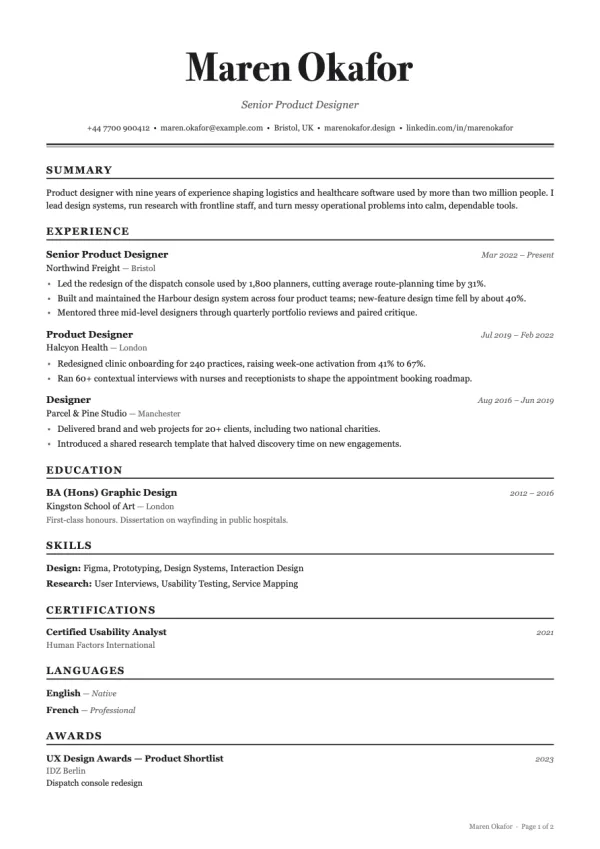
  • The Gazette resume template

    Gazette

    Newspaper masthead over a dense serif body.
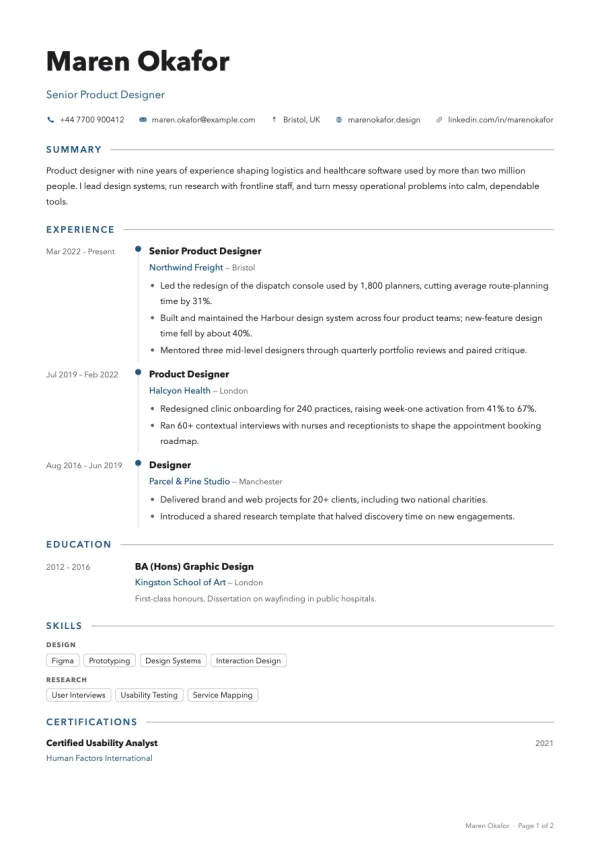
  • The Chronicle resume template

    Chronicle

    Timeline rail with dates in the margin.
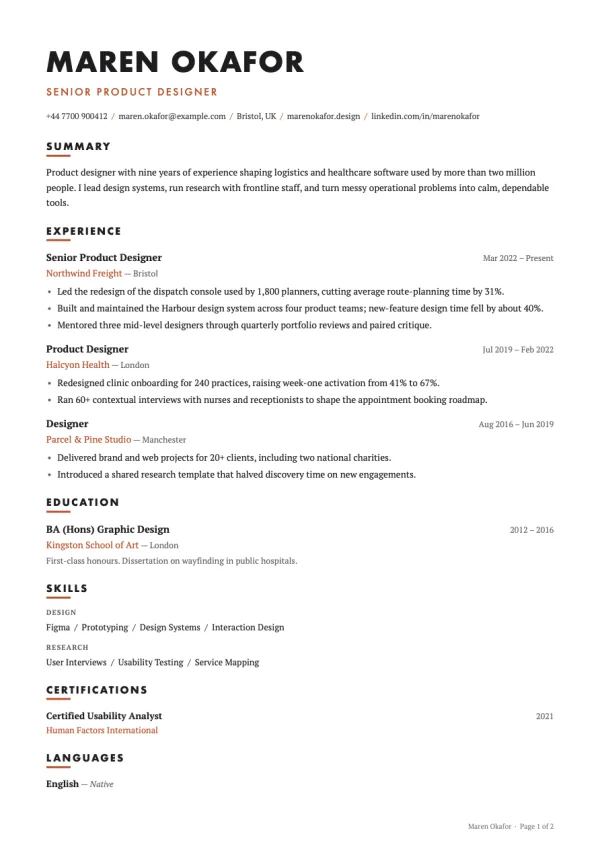
  • The Tribune resume template

    Tribune

    PT Serif body with Futura headings.
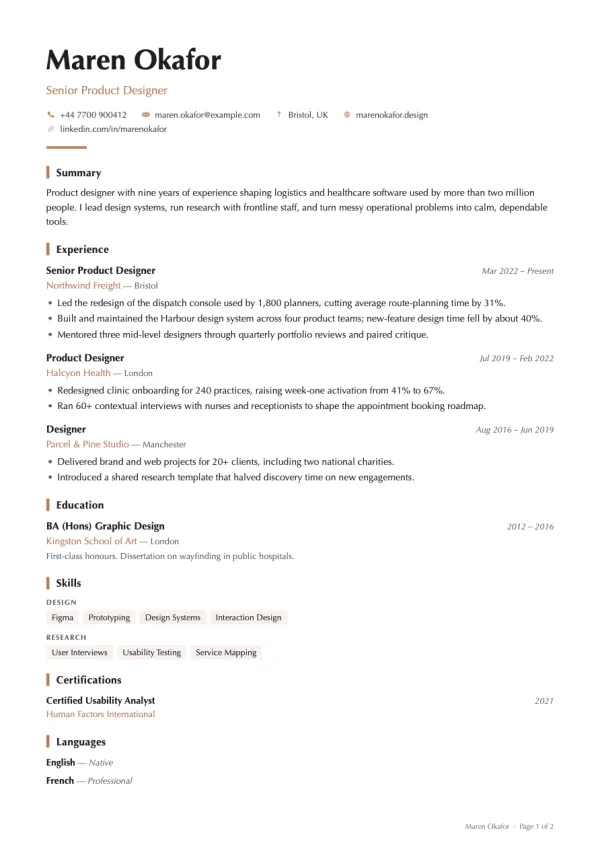
  • The Concord resume template

    Concord

    Optima with accent bars beside each heading.
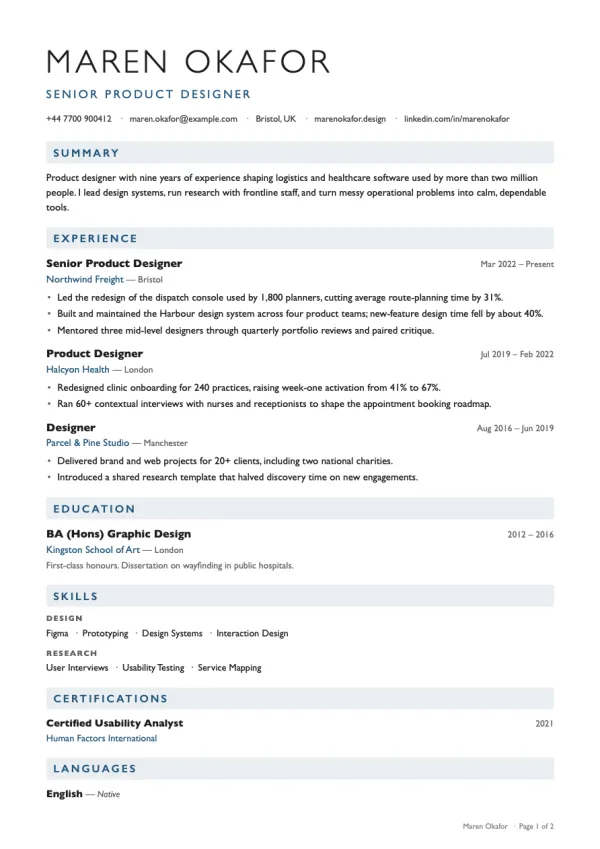
  • The Harbour resume template

    Harbour

    Gill Sans with tinted section bars.
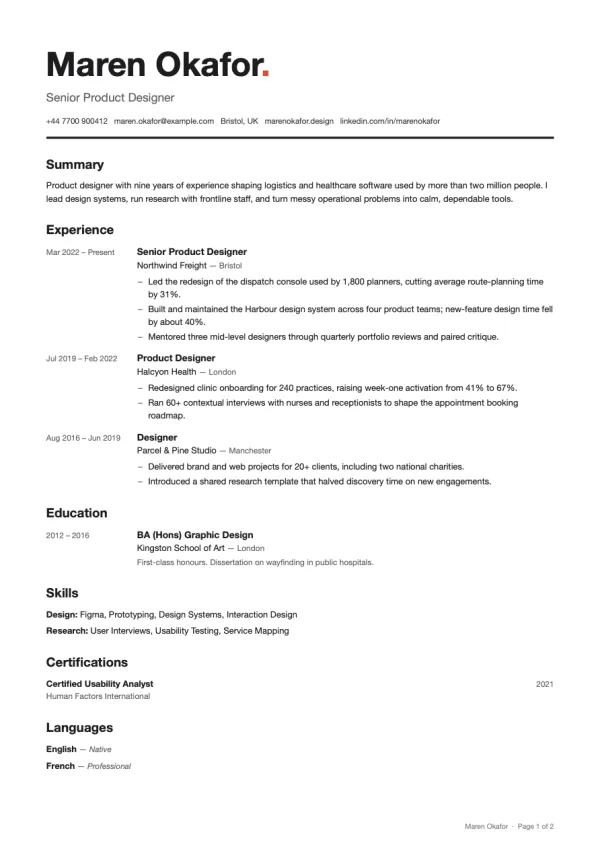
  • The Index resume template

    Index

    Dense grid with dates in a left column.
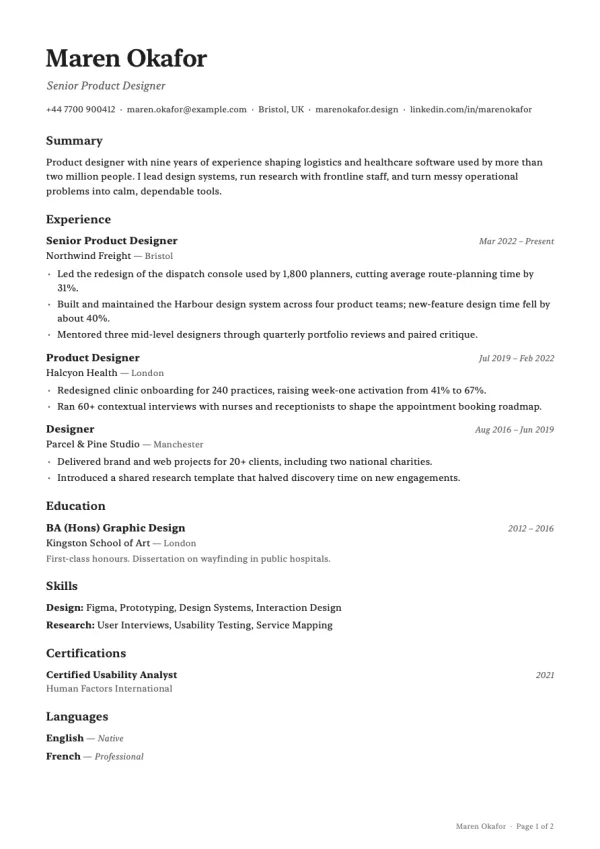
  • The Plainsong resume template

    Plainsong

    Spare and quiet, for a recruiter's first read.
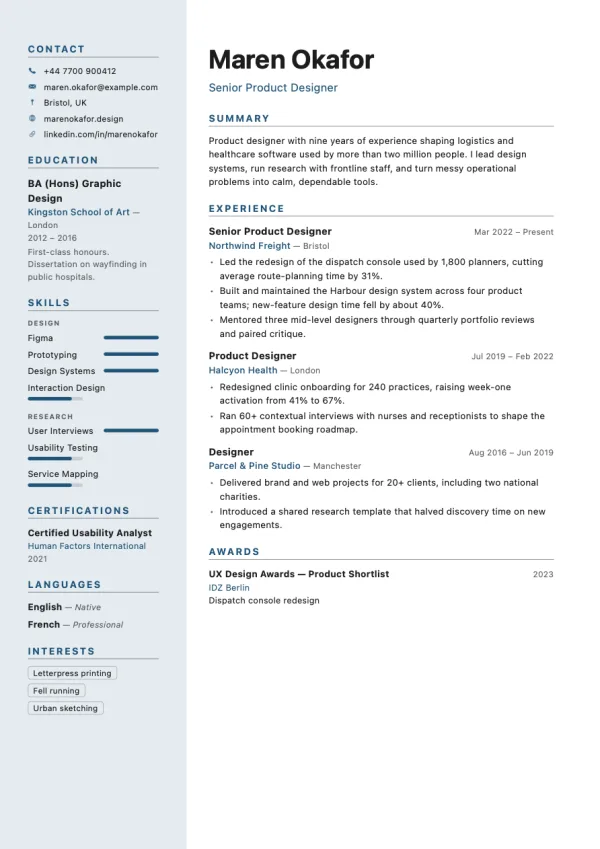
  • The Atlas resume template

    Atlas

    Tinted rail on the left, name above the main column.
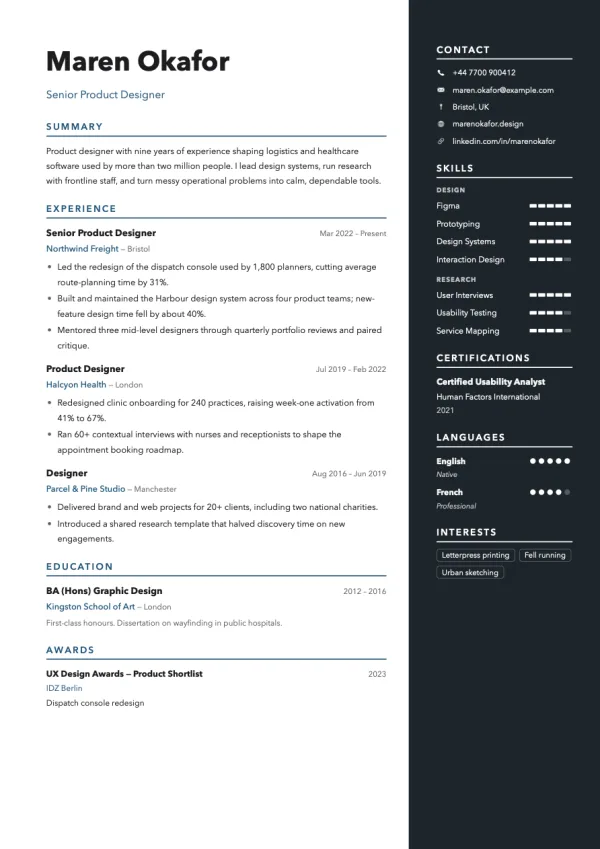
  • The Slate resume template

    Slate

    Dark rail on the right with a clean heading block.
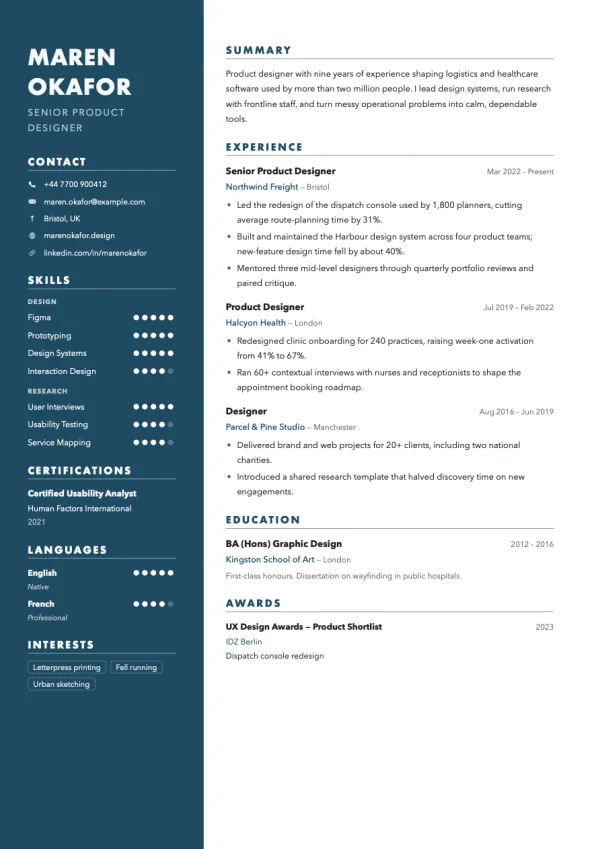
  • The Fjord resume template

    Fjord

    Solid colour rail carrying your name and details.
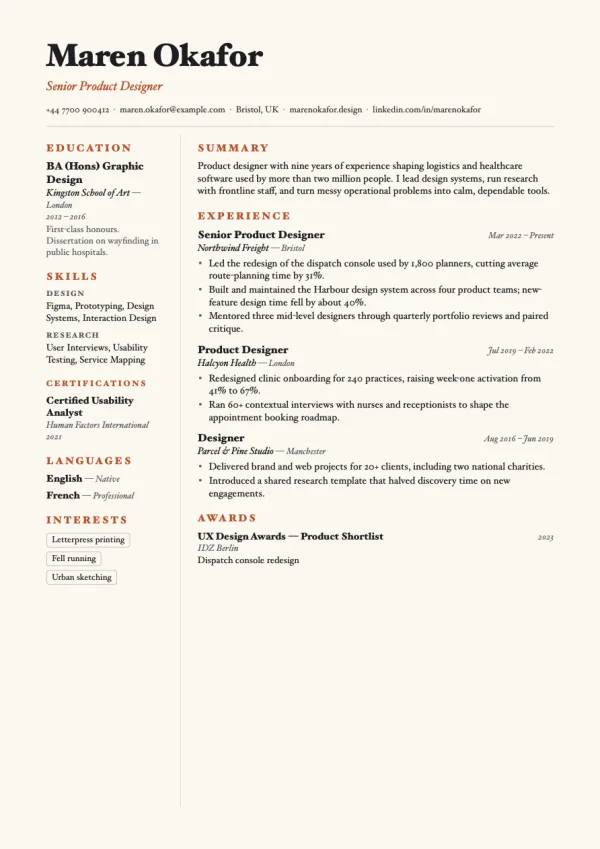
  • The Orchard resume template

    Orchard

    Warm paper, serif type and a hairline divider.
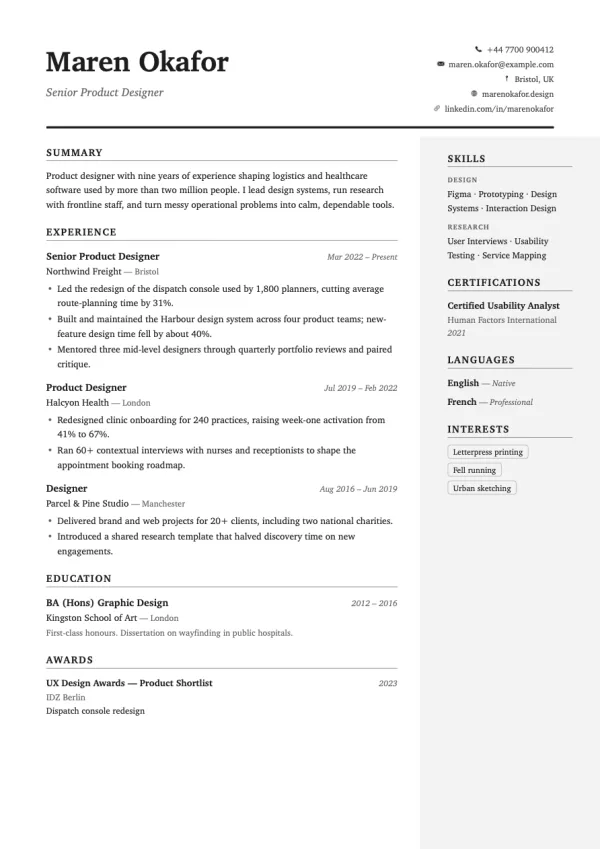
  • The Keel resume template

    Keel

    Split header with a shaded rail on the right.
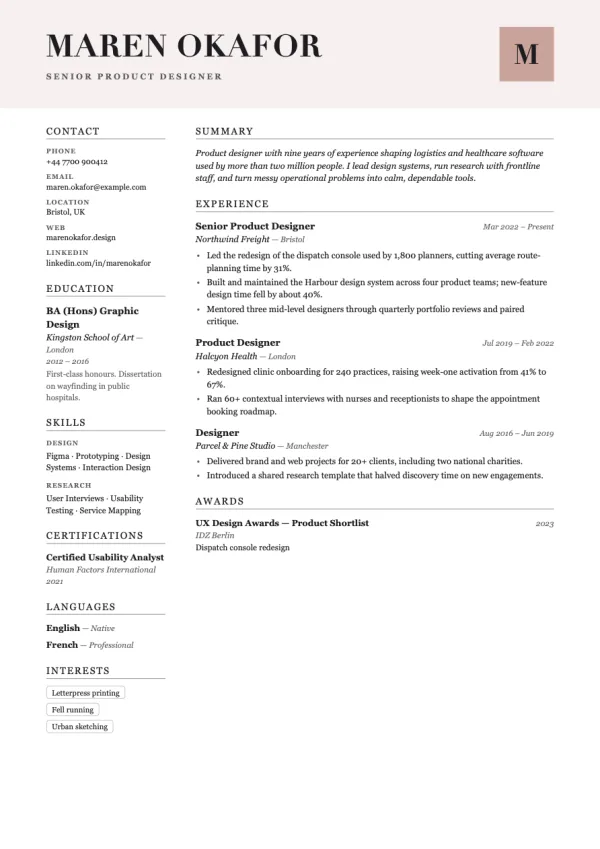
  • The Monograph resume template

    Monograph

    Didot name with an initial block and a quiet rail.
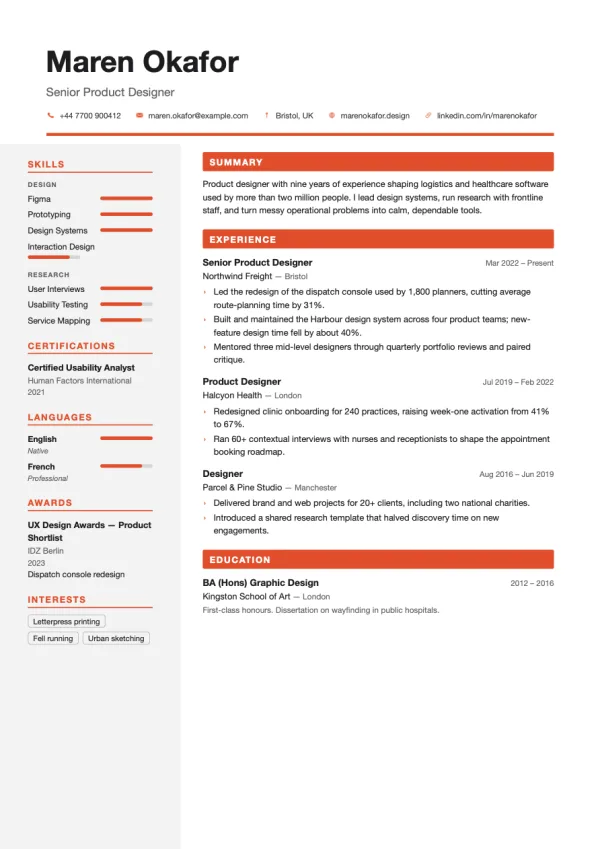
  • The Transit resume template

    Transit

    Wayfinding sans, rating bars and a pale rail.
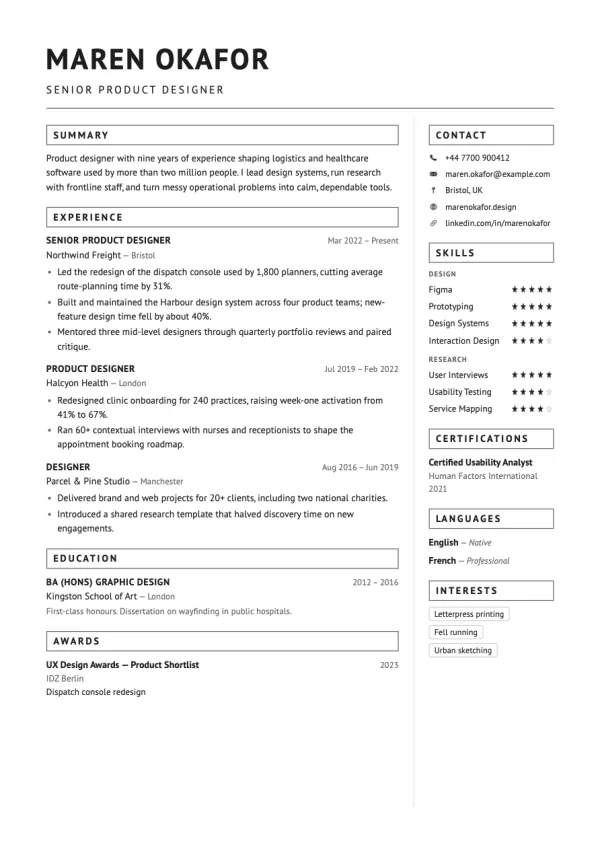
  • The Ridge resume template

    Ridge

    Right-hand rail with a boxed-heading main column.
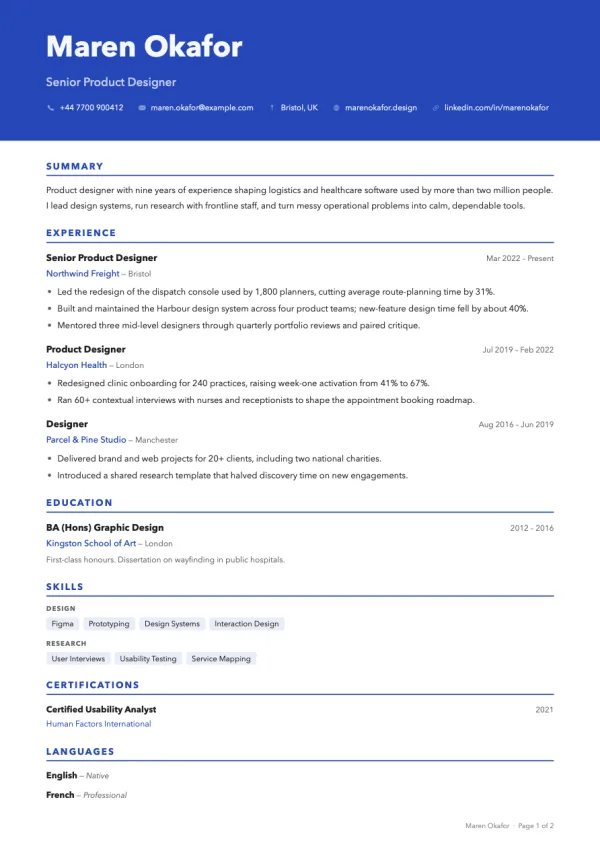
  • The Beacon resume template

    Beacon

    Full-bleed colour masthead over a single column.
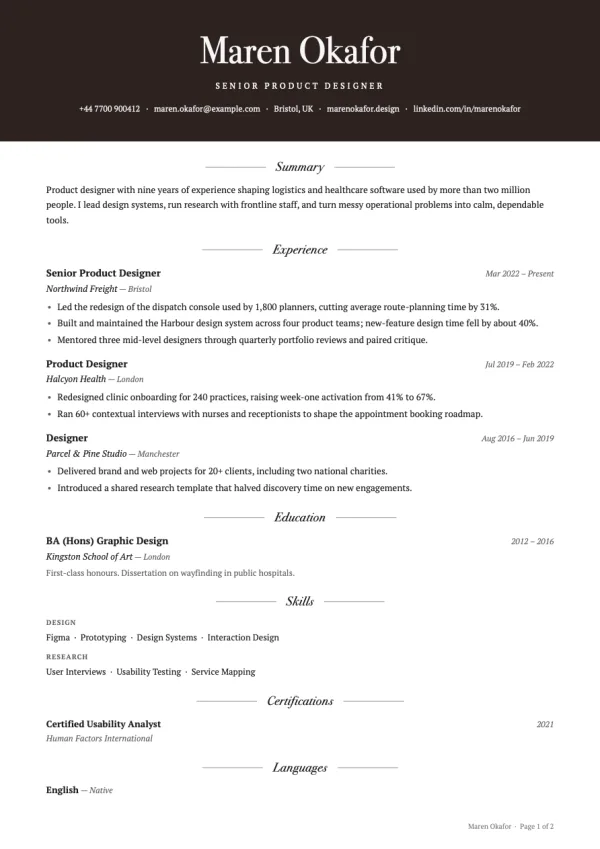
  • The Press resume template

    Press

    Dark masthead with a Bodoni name.
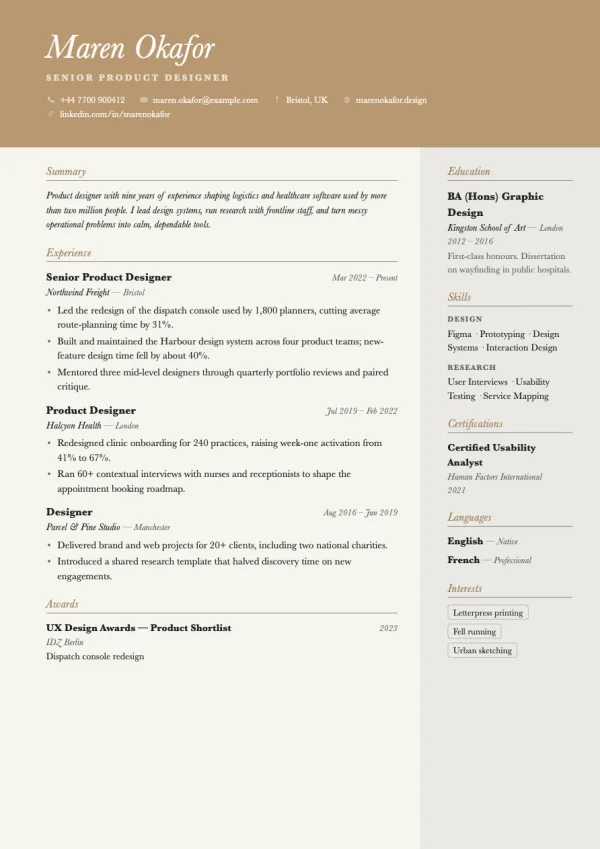
  • The Dune resume template

    Dune

    Solid sand masthead over a shaded right rail.
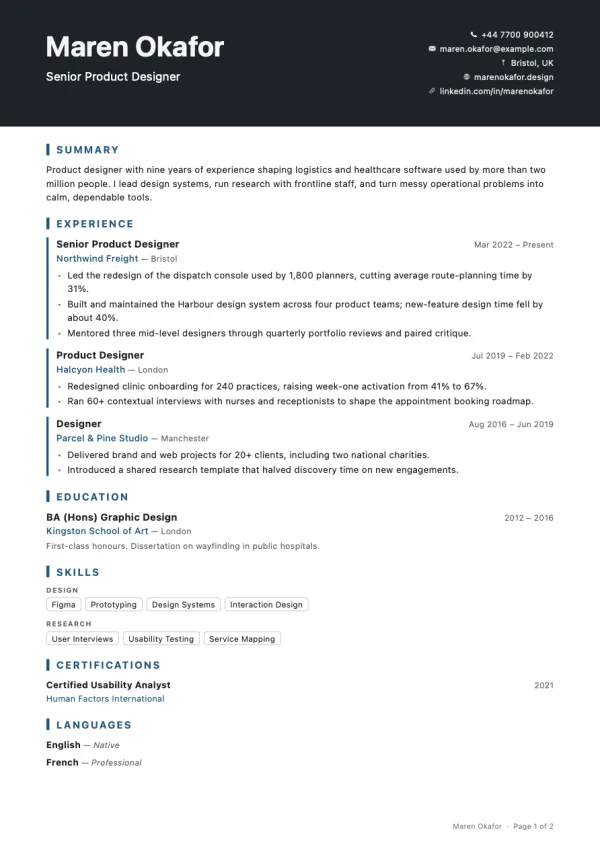
  • The Signal resume template

    Signal

    Masthead with your details stacked on the right.
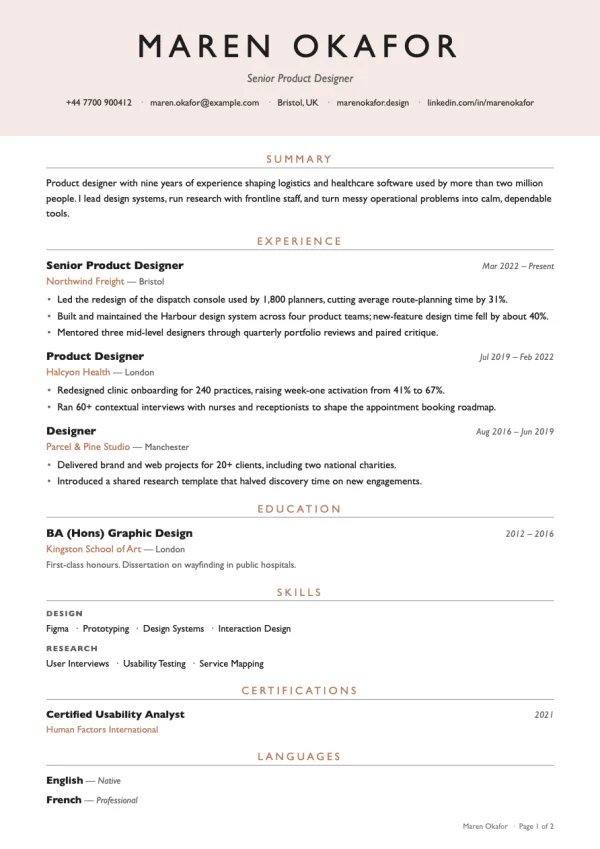
  • The Canopy resume template

    Canopy

    Soft tinted masthead, centred and calm.
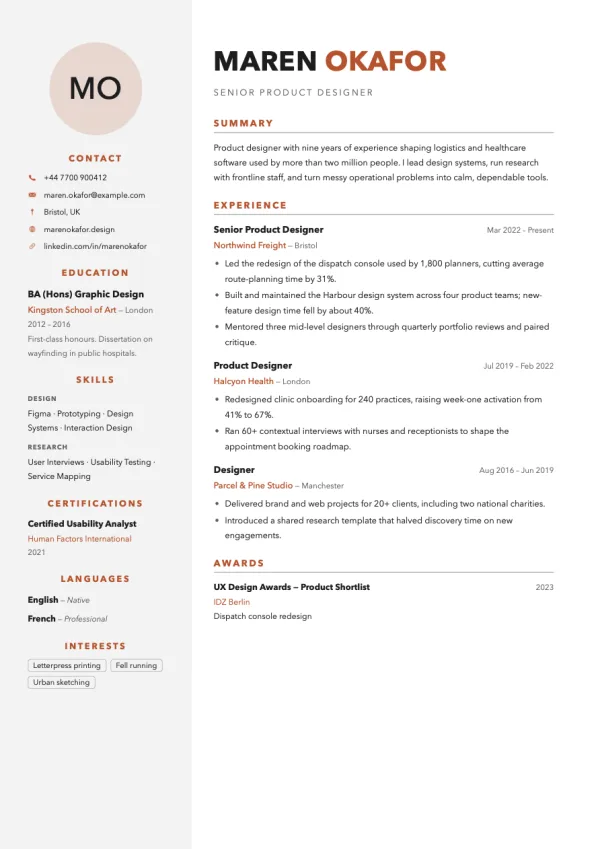
  • The Portrait resume template

    Portrait

    Photo at the top of a tinted rail.
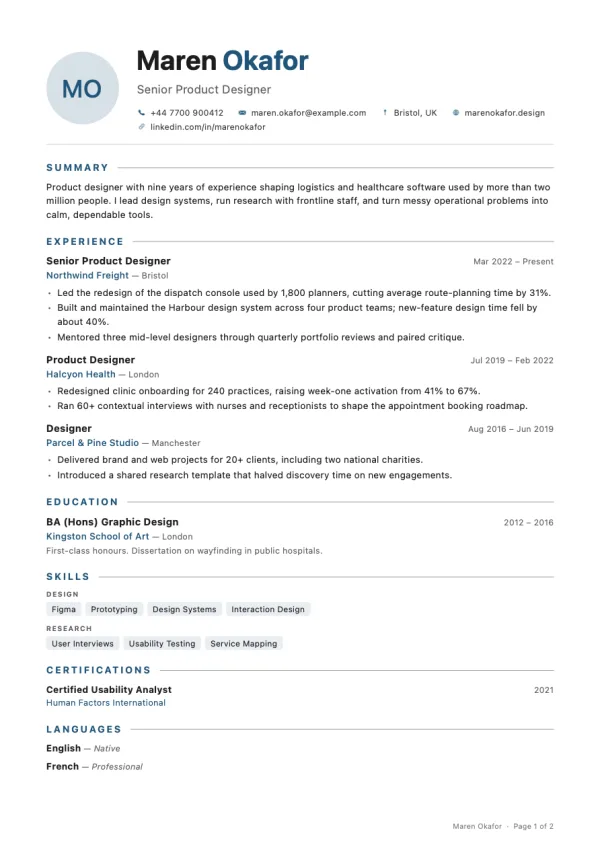
  • The Lumen resume template

    Lumen

    Single column with a round headshot beside your name.
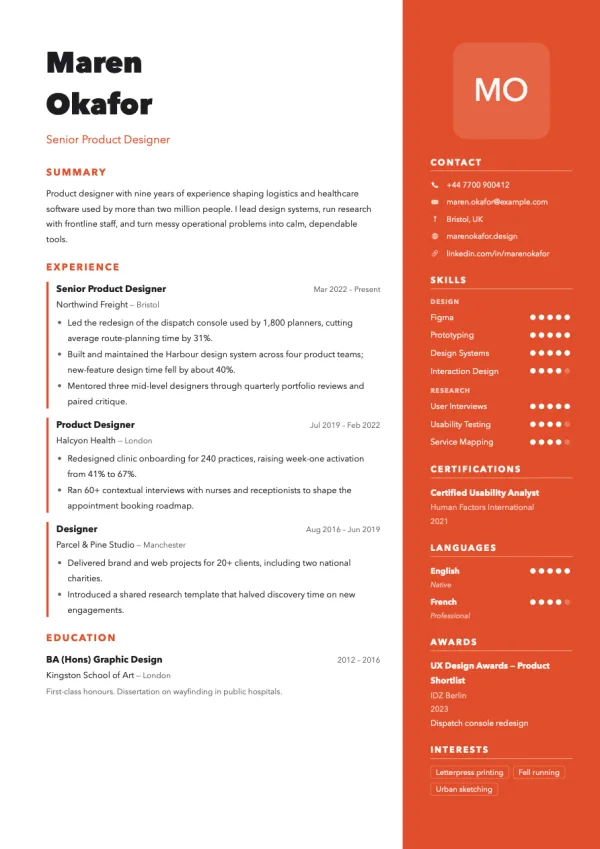
  • The Studio resume template

    Studio

    Colour rail on the right with photo and contact.
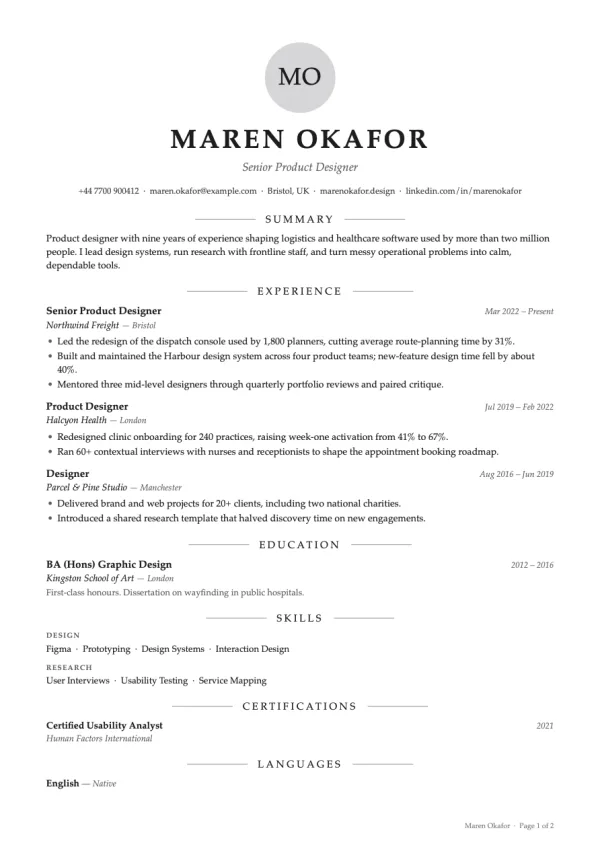
  • The Cove resume template

    Cove

    Centred headshot above a classic serif layout.
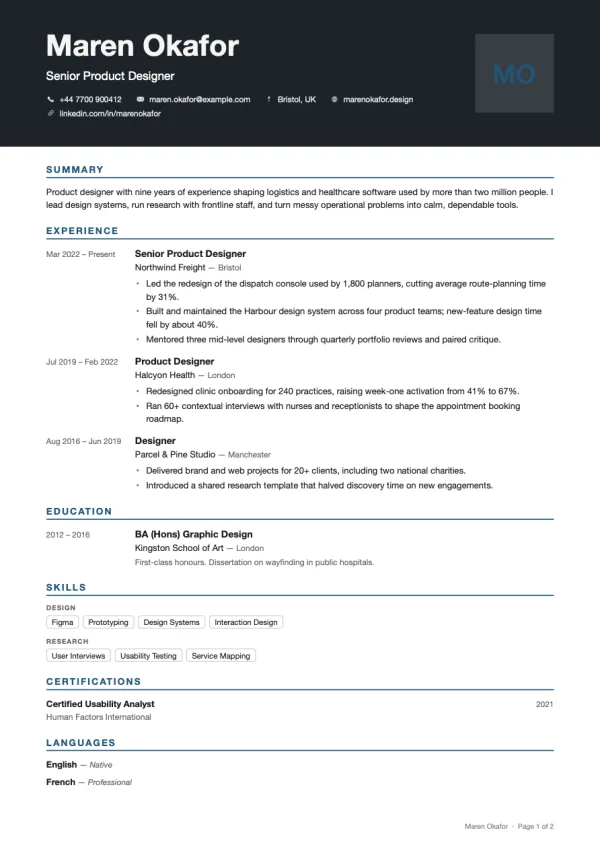
  • The Frame resume template

    Frame

    Dark masthead with a square photo on the right.
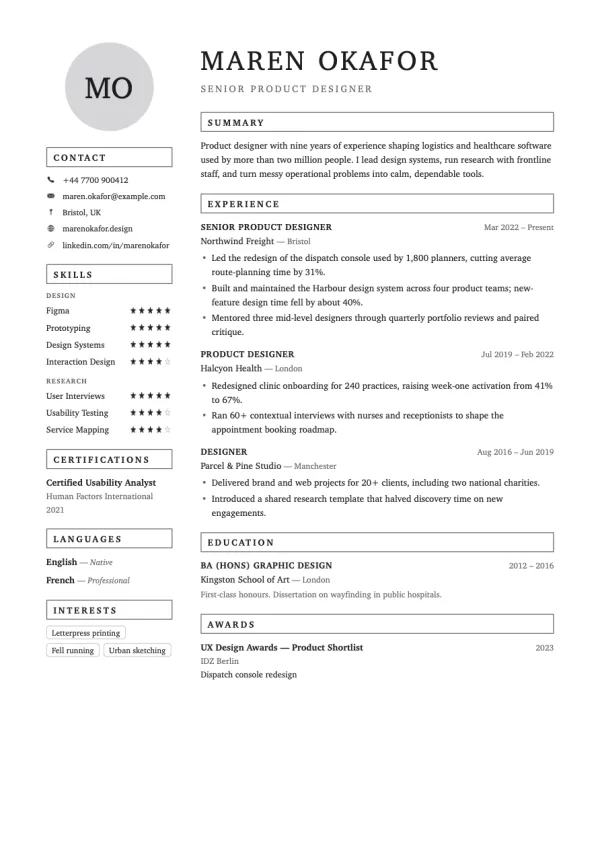
  • The Locket resume template

    Locket

    Round photo in a shaded rail with boxed headings.
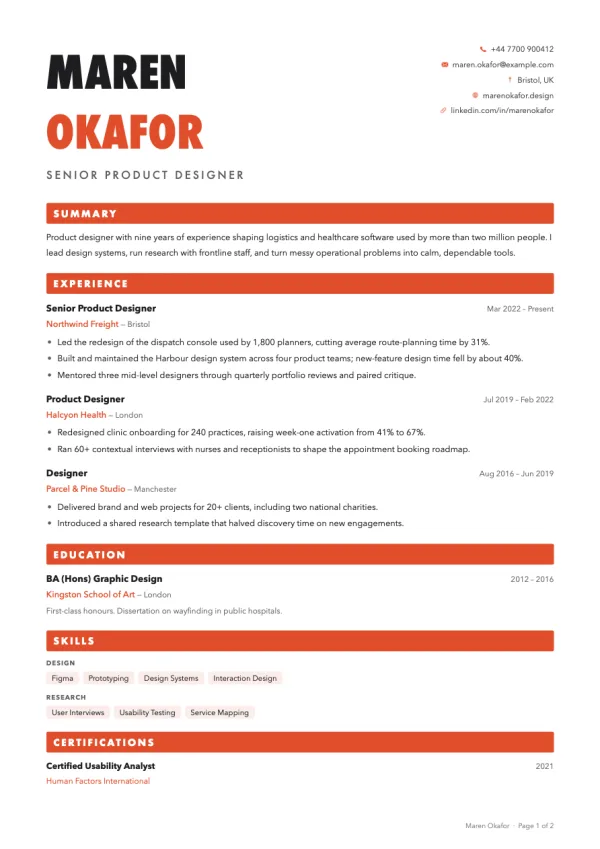
  • The Poster resume template

    Poster

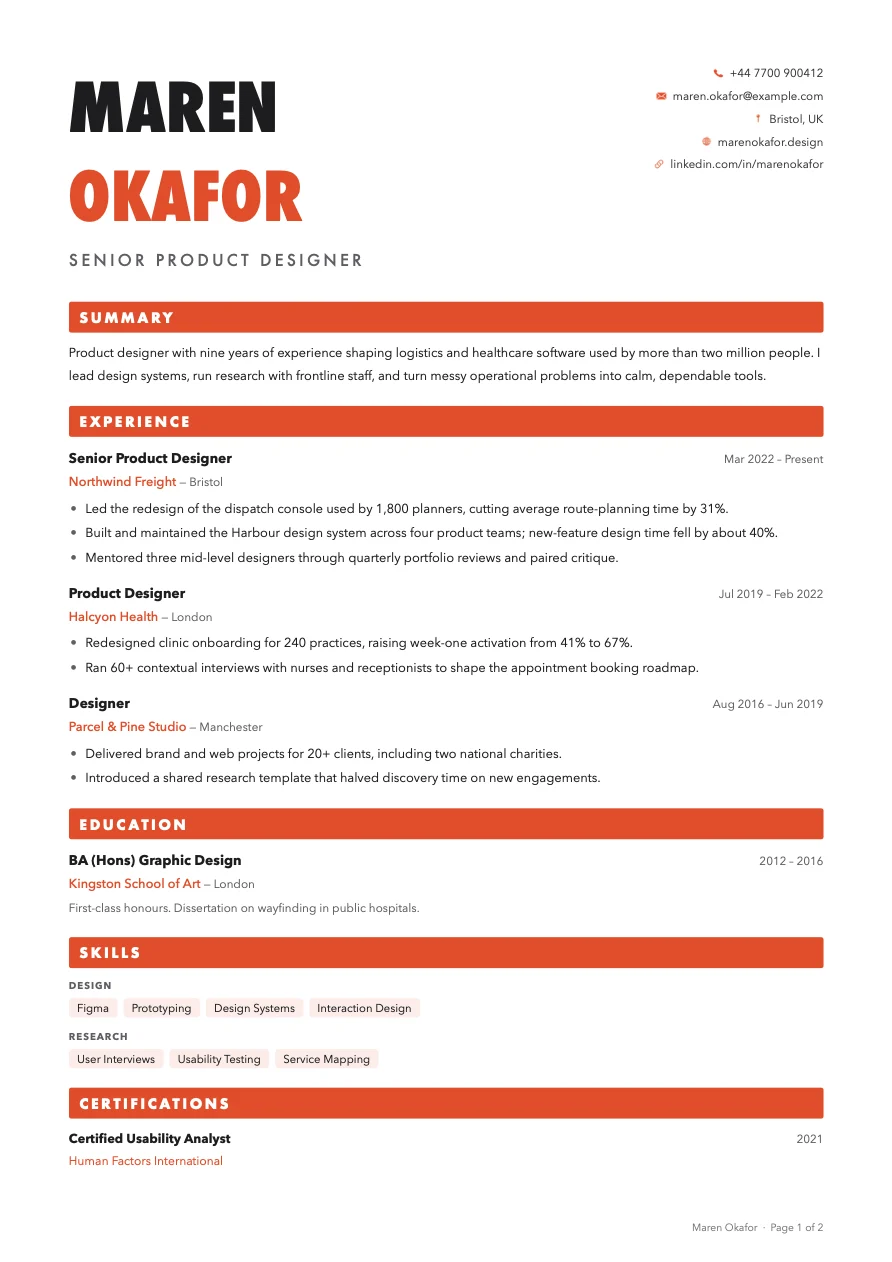
    Huge stacked name and solid section bars.
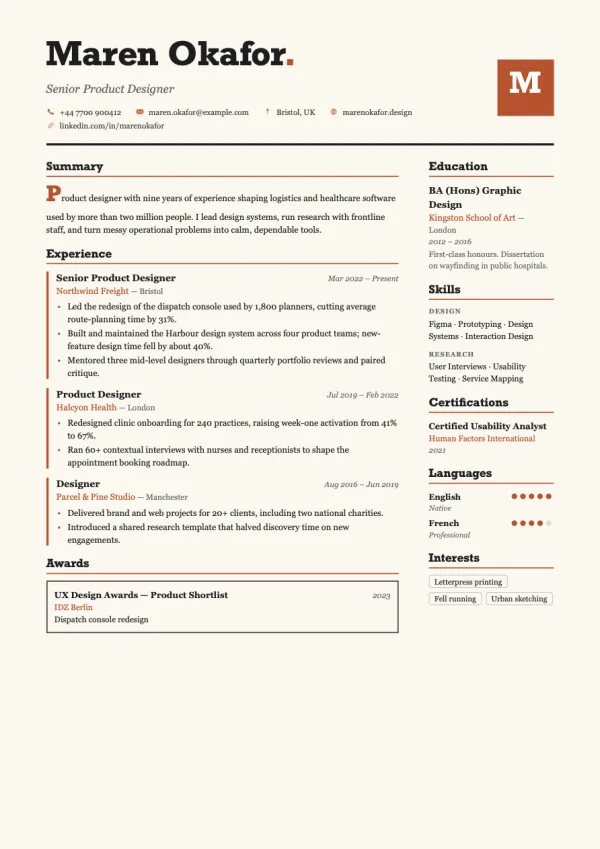
  • The Kiln resume template

    Kiln

    Slab serif on cream with accent rules on each role.
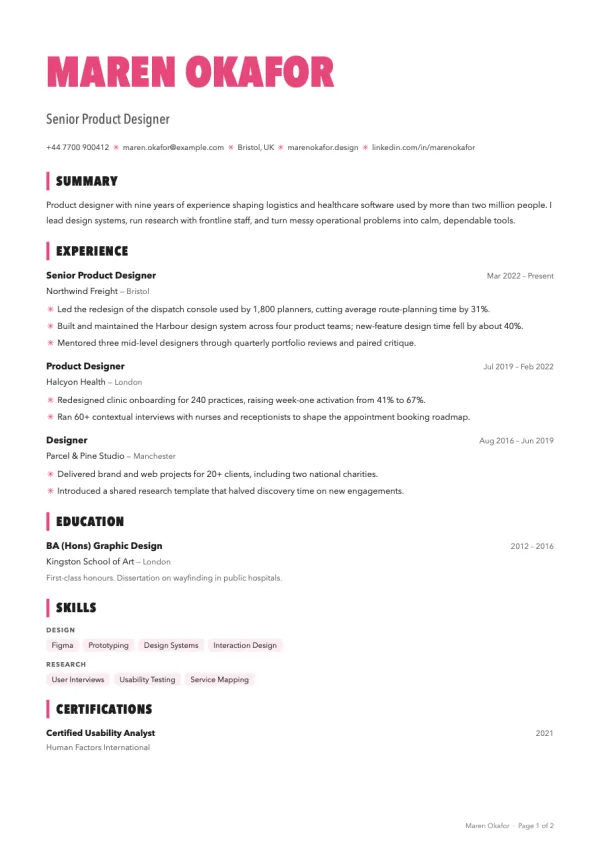
  • The Riso resume template

    Riso

    Condensed type and bright chips, print-shop style.
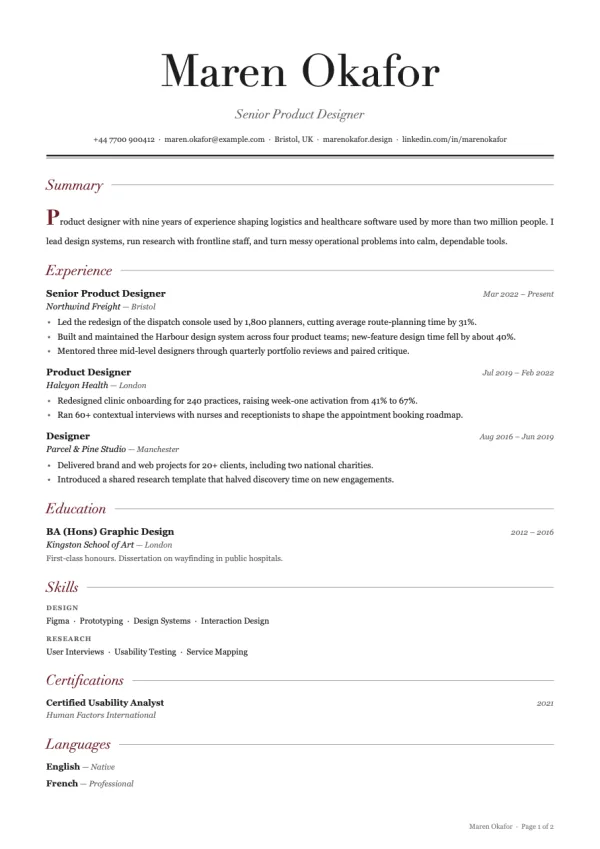
  • The Editorial resume template

    Editorial

    Magazine Didot with a drop cap and justified text.
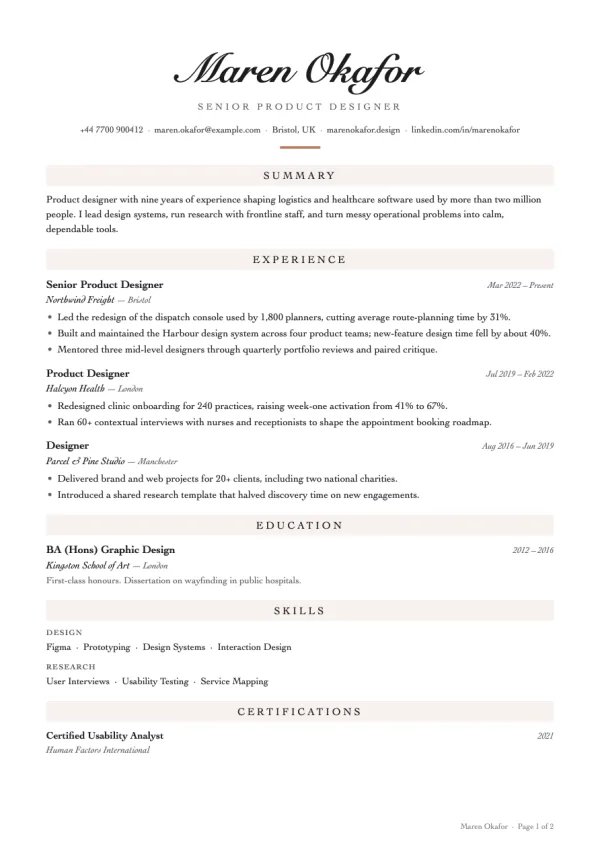
  • The Signature resume template

    Signature

    A handwritten name above an elegant serif body.
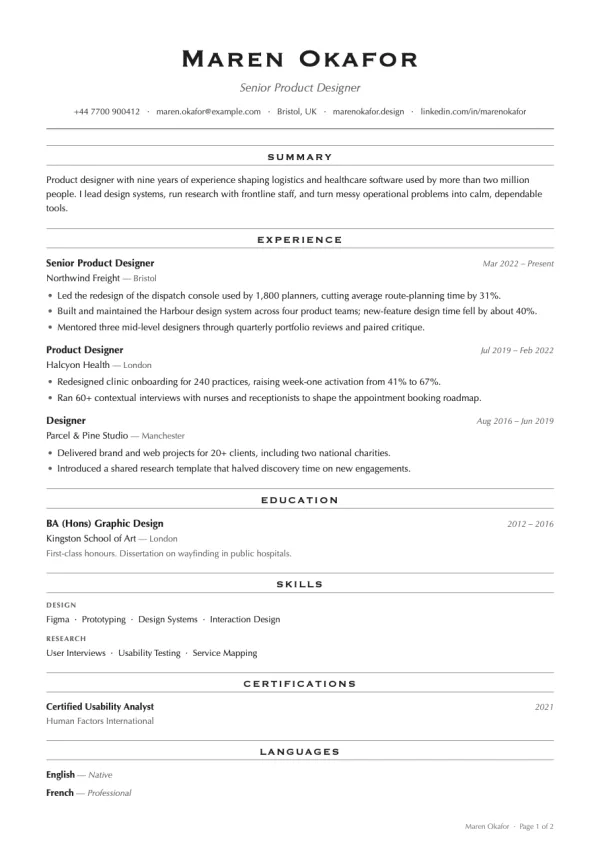
  • The Engraver resume template

    Engraver

    Engraved capitals and Optima, like a calling card.
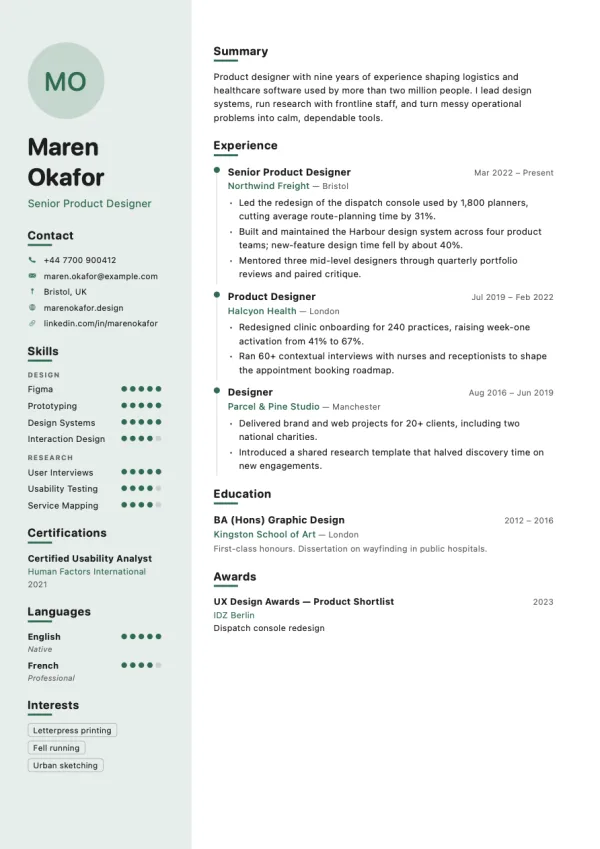
  • The Grove resume template

    Grove

    Rounded system type with a green rail and dots.
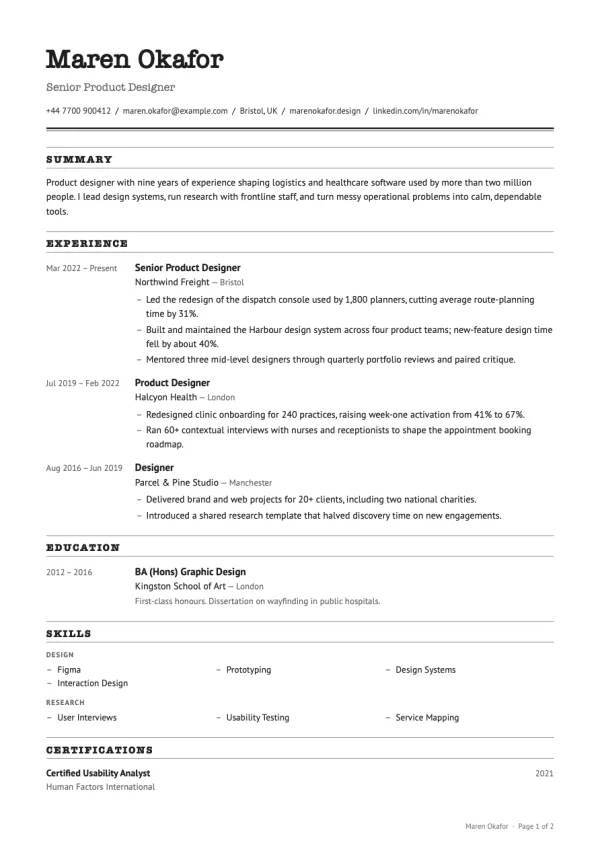
  • The Bulletin resume template

    Bulletin

    Typewriter headings, ruled like an office form.
Write on the left, see the page on the right

Every keystroke redraws the page. What you see is exactly what prints and exactly what goes into the PDF, because the preview, the template thumbnails and the export all come from the same layout engine.

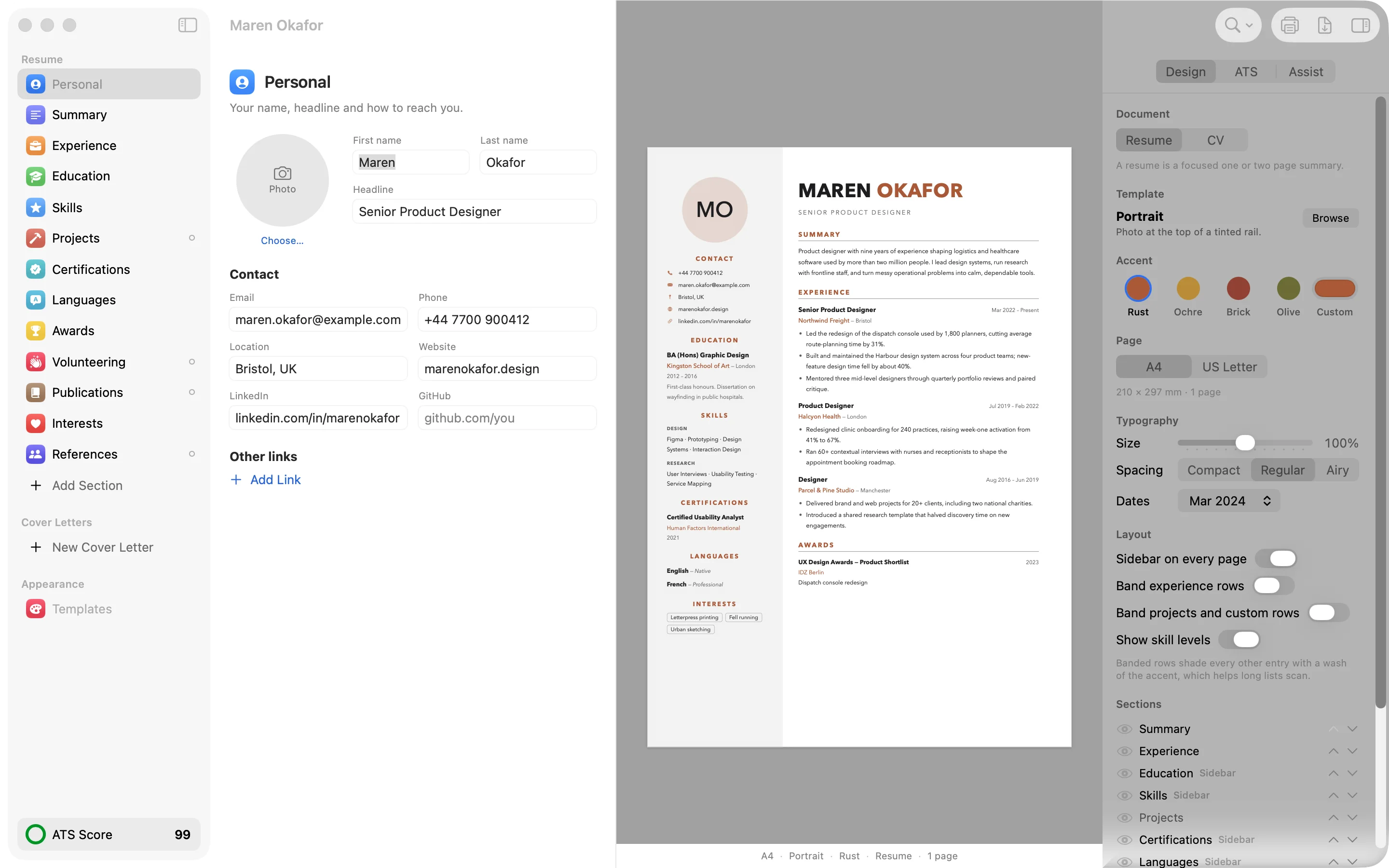
Shortlist's main window: section list, the personal details editor, a live resume preview and the design panel

1 Drag sections to reorder them. Hide, rename or add your own.

2 Live preview, paginated the way it will print. Headings never strand at the foot of a page.

3 Accent, A4 or US Letter, text size, spacing, date format and shaded rows.

An ATS score that tells you what to fix

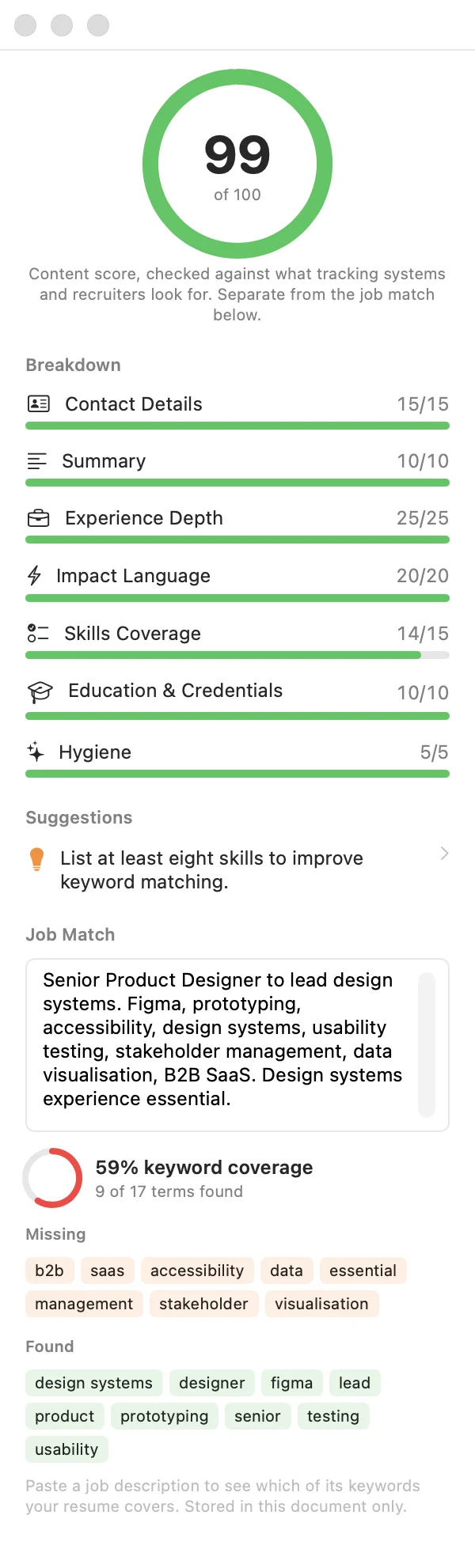
Shortlist scores your resume out of 100 across contact details, summary, depth of experience, impact language, skills, education and hygiene. Each suggestion takes you to the section it is about.

Paste a job listing and it shows which of the listing's keywords your resume covers and which are missing. This runs on your Mac. Nothing is uploaded.

ATS panel showing a score of 99 out of 100, a breakdown by category, and job match keywords found and missing

Resumes, CVs and cover letters in one document

Switch a document to CV mode for academic and long-form work. It adds research interests, grants, teaching, presentations and memberships, orders sections the way academic readers expect, and drops the two-page warning.

Cover letters live alongside the resume and use the same template, header and accent, so the pair look like they belong together when you send them.

  • Resume One or two focused pages. Summary, experience, skills, projects, certifications and more.
  • CV As long as it needs to be. Publications, grants, teaching and talks.
  • Cover letter As many as you like, one per application, matched to your resume's design.

PDFs that hold up

Exported PDFs keep real, selectable text so tracking systems can read them. Links to your email, site and LinkedIn work. Icons are sharp at any zoom, and the document title and author are set for you.

Photos are cropped without touching the original, so you can reframe a headshot later. Print straight from the app with ⌘P.

The Poster template: a large stacked name over solid section bars

A reviewer you can argue with

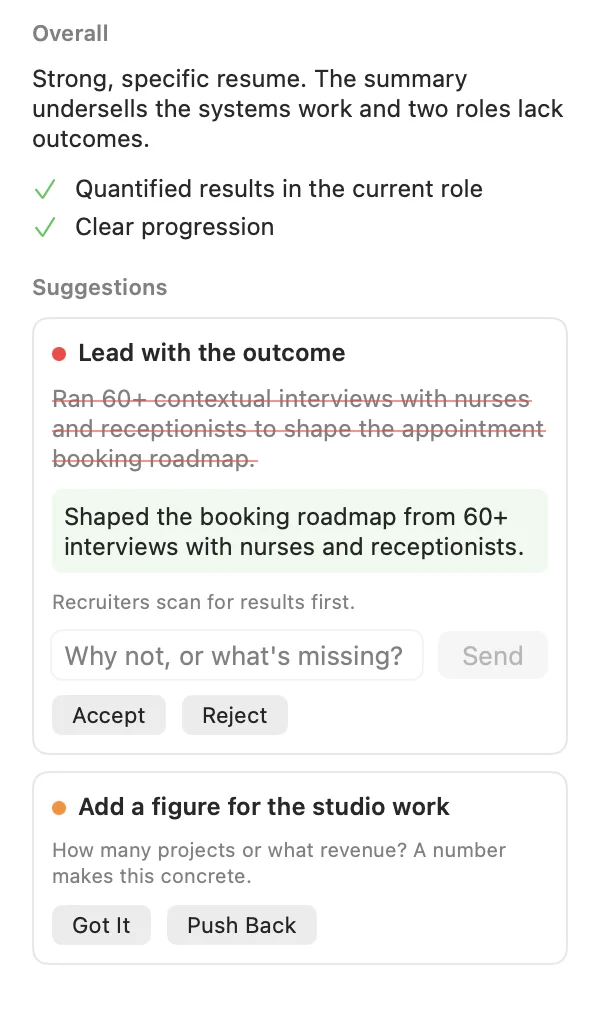
Turn on the assistant with your own API key from Anthropic, OpenAI or Google. Ask for a review and you get specific edits: the current line crossed out, the proposed line beside it, and the reason.

Accept it, reject it, or push back. Tell it the number was right, or that you did lead that project, and it revises, keeps or withdraws the suggestion.

  • Review Recruiter-style feedback with edits you can accept one at a time.
  • Tailor to a job Paste a listing and get edits that line your resume up with it.
  • Draft from notes Paste an old resume or LinkedIn profile and it fills in your sections.
  • Cover letters Write a draft from your resume and the listing, then tighten it, warm it up or tell it what to change.

It is told never to invent facts or figures. When a bullet needs a number you have not given, it asks you for one instead. The assistant is optional: everything else in Shortlist works without it, and it only goes online when you press a button. Requests go straight from your Mac to the provider you chose and are billed to your account there.

Assistant panel with a suggestion: the original bullet crossed out, a rewritten bullet below it, and Accept, Reject and Push Back buttons

Shortlist and Resume Lab

Resume Lab is a good Mac resume app and the closest thing to Shortlist. Here is how they line up.

ShortlistResume Lab
Templates3917
ATS scoringYes, plus job keyword matchYes
Works offlineYesYes
No account or subscriptionYesYes
PDF exportYesYes
Cover lettersYes, matched to the resumeNot listed
Academic CV modeYesNot listed
AI review and tailoringOptional, your own keyNot listed

Resume Lab details are taken from its own product description as of November 2026. "Not listed" means the description does not mention it, not that it is missing.

US$5. Yours to keep.

One payment through Lemon Squeezy gets you the signed, notarised app as a download. Updates to version 1 are included. No account, no subscription, no trial timer.

Buy Shortlist

macOS 14 Sonoma or later. Universal app for Apple silicon and Intel Macs. 2 MB download.

FAQ

Do I need the AI assistant?

No. Templates, editing, the ATS score, job keyword matching, cover letters and PDF export all work without it, and without an internet connection. The assistant is there if you want a second opinion or a first draft.

What does the assistant cost?

Shortlist does not charge for it. You add your own API key from Anthropic, OpenAI or Google, and each request is billed by that provider to your account. A review uses one request. You choose the model, including the cheaper ones.

What happens to my resume?

It stays in a .shortlist file wherever you save it. Shortlist has no account, no server and no analytics. The only time anything leaves your Mac is when you press an assistant button, and then your resume goes to the AI provider you picked, using your key. Keys are stored in your Mac's Keychain.

Will tracking systems read my PDF?

Exported text is real text, not an image, so it can be selected and parsed. Single column templates are the safest choice for strict systems. Sidebar and photo layouts read fine in most modern systems, but no app can promise how every employer's software behaves.

Can I write a long academic CV?

Yes. Switch the document to CV in the Design panel. You get research interests, grants, teaching, presentations and memberships, academic section order, and no page-count warning.

Is there an iPhone, iPad or Windows version?

Not yet. Shortlist is a Mac app.

What if it is not for me?

Reply to your Lemon Squeezy receipt email and ask for a refund.